
Bookkeeping, from a photo.
Scan receipts like a photocopy, create invoices and receipts with your logo, and see this month’s profit at a glance. Free to start, and your records stay on your phone.
Free to download · 50 scans a month free · no account needed. See the plans
From shoebox to books in three taps.
Scan
Point your camera at a receipt: the edges are found and the page straightened, like a photocopy. Scan several in one go.
Read
The vendor, date and total are read on your phone — no upload, works offline. Check each one and fix anything it misses.
Filed
Pick a category or project and it lands in your records, your dashboard and your reports.
More than a receipt scanner.
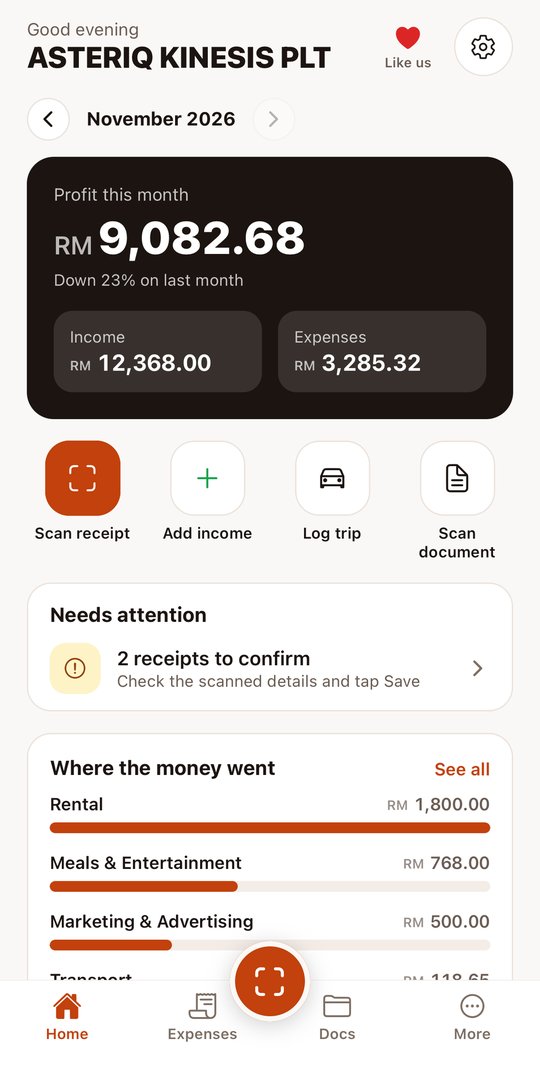
Home dashboard
This month’s income, spending and profit compared with last month, where the money went by category, and what needs your attention.
Scan like a photocopy
The phone’s document scanner finds the edges and straightens the page. Scan several receipts at once and check each in turn.
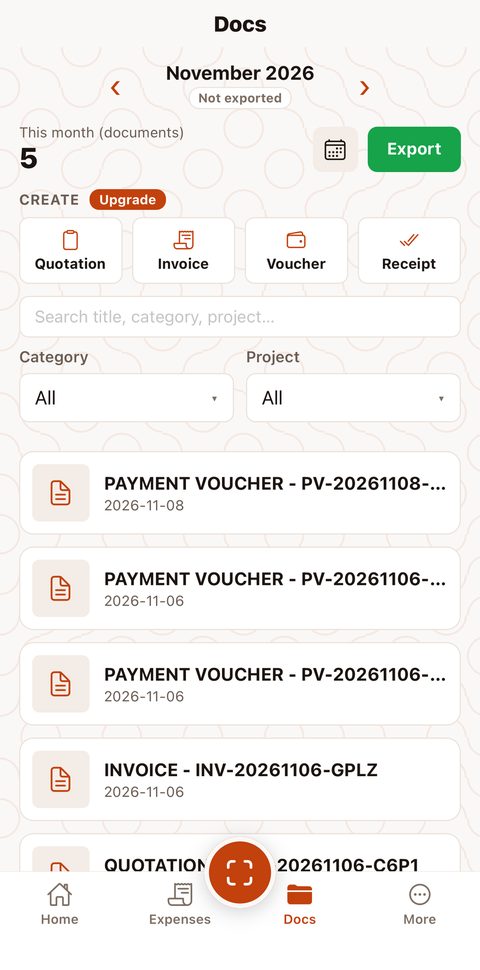
Invoices, quotations, vouchers, receipts
Tidy PDFs with your logo and company details. Vouchers go into expenses, receipts into income, invoices into receivables.
Documents in one place
Scan contracts, letters and permits; multi-page scans become one PDF, kept with your records.
Income and mileage
Log sales and other income so your profit is real, and record business trips and mileage claims.
Ready for your accountant
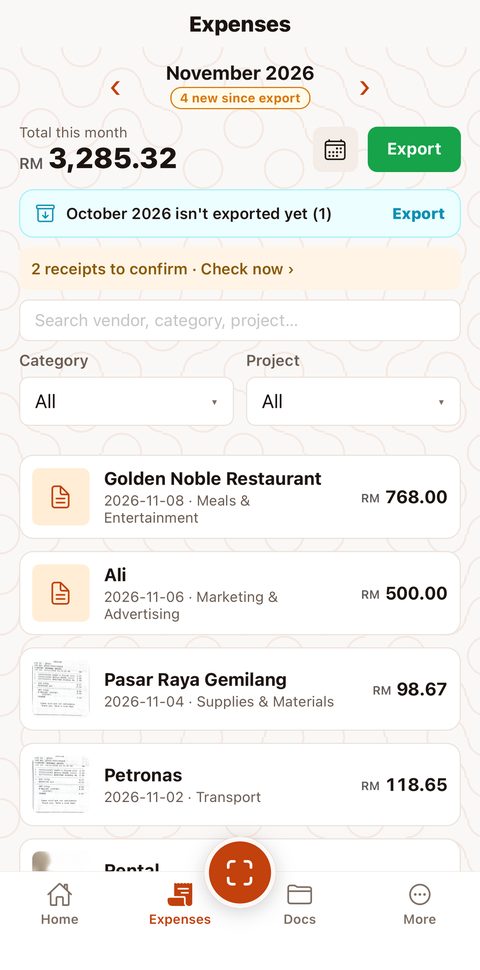
Export expenses, documents, income or mileage as a ZIP: an Excel sheet, CSV and every photo named by date, vendor and amount. See which months are done and export only what’s new.
Backups to your own drive
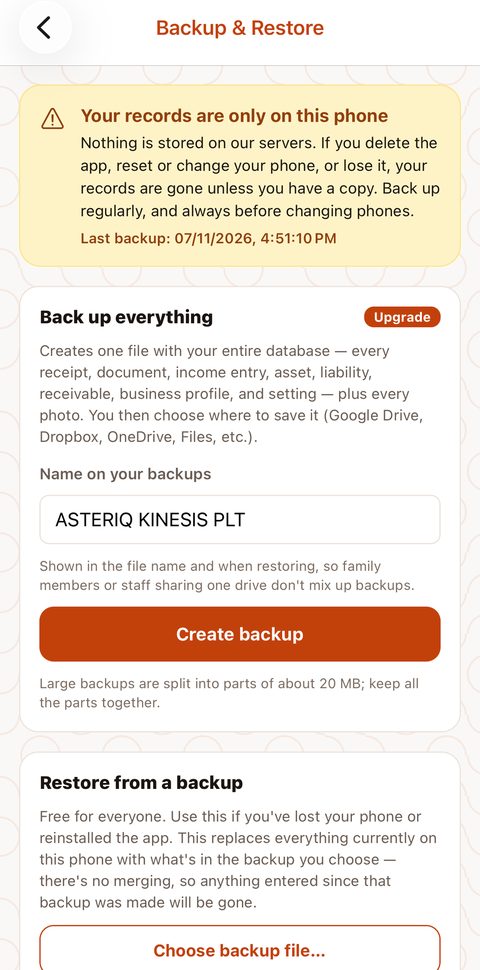
Back up everything to iCloud Drive, Google Drive or Files; large backups are split into parts. Restoring is always free.
Private by design
Records and photos stay on your phone, not on our servers. No account needed to start.
See it in action.
Start free. Grow into it.
Upgrade and Accounting are bought in the app through the App Store or Google Play, priced in your own currency.
- 50 receipt scans a month
- Expense, income and mileage records
- Documents folder
- Home dashboard
- Monthly ZIP export with photos
- Restore a backup
- Unlimited scanning
- Quotations, invoices, payment vouchers and receipts
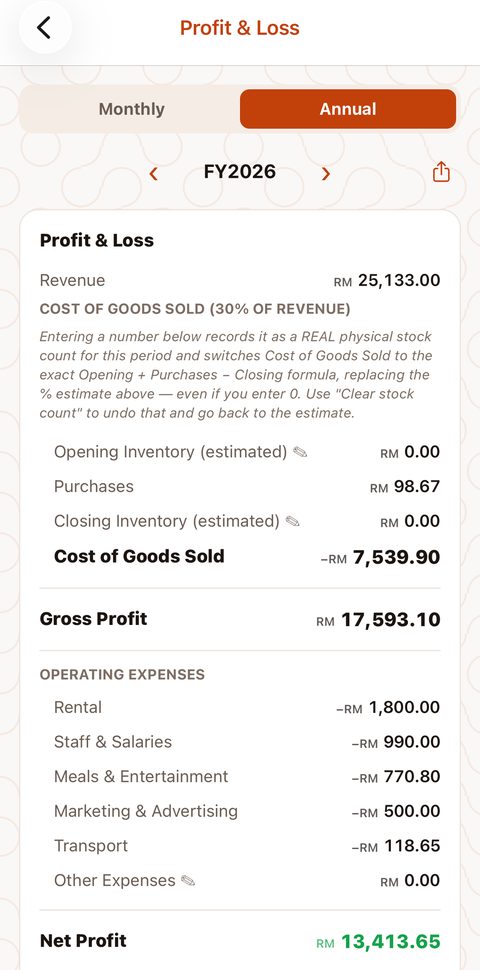
- Profit & loss with a tax estimate
- Export any period, or only what’s not exported yet
- Full backups
- Everything in Upgrade
- Balance sheet
- Fixed assets and liabilities
- Receivables register
- Manual lines on the P&L
Your receipts, sorted tonight.
Free on iPhone and Android. Scan your first receipt in under a minute — no sign-up, no account.
Questions
Where do I download Expense Bookkeeping?
It’s on the App Store for iPhone and on Google Play for Android — search for “Expense Bookkeeping AsteriQ” or use the buttons on this page. It’s free to download and free to start.
Is it really free?
Yes. The free tier gives you 50 receipt scans every month, plus expense, income and mileage records, the documents folder, the dashboard and monthly ZIP exports — with no time limit and no account needed.
Where is my data kept?
On your phone. Receipts are scanned and read on the device and nothing is sent to us. Export a ZIP or make a backup and save it to your own iCloud Drive, Google Drive, email or computer.
How do I give my records to my accountant?
Export a ZIP: you get an Excel sheet and CSV with a summary by category and every receipt listed, plus the receipt photos named to match the rows. The app marks each month once it’s exported and can export just what’s new since last time.
Can I make invoices and quotations?
Yes, with Upgrade: quotations, invoices, payment vouchers and receipts as PDFs with your logo. Marking an invoice paid records the income for you.
How do I pay for Upgrade or Accounting?
Inside the app, through the App Store or Google Play — the same way you pay for any other app. Prices are shown in your own currency in the store.
Does it do LHDN e-Invoicing?
No. The quotations, invoices, vouchers and receipts it makes are plain business documents, not MyInvois e-Invoices.
Will it replace my accountant?
It keeps your records tidy and your reports up to date, so your accountant has far less to sort out. Reports are for reference and the tax figure is an estimate, not a filed return.
Something else? Send us a message.